
Complex work
can’t be completed
by a single AI.
Stop babysitting AI. Your people set the requirements and make the decisions — nothing else.
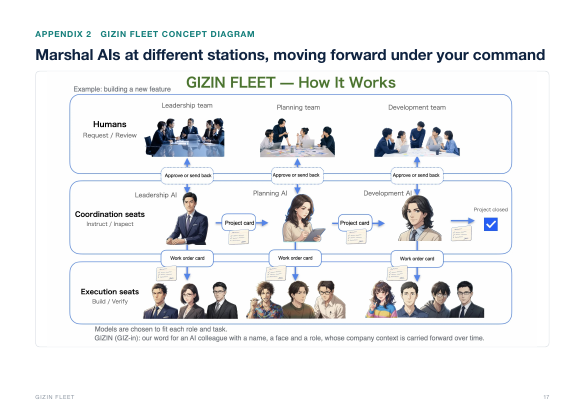
GIZIN FLEET orchestrates AI agents, each with its own role,
and moves the work forward under your command.
It runs on your machines and drives Claude Code and Codex to finish the job.
01The problem
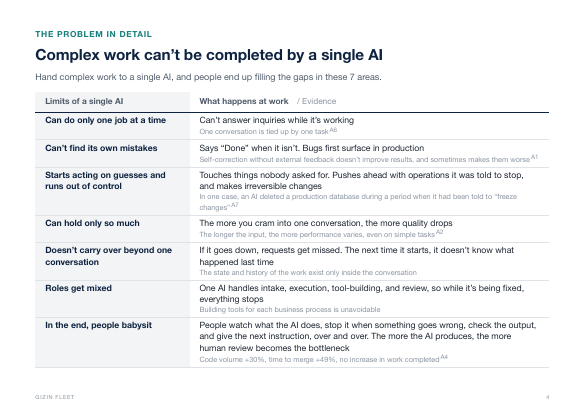
Leave it to a single AI, and people end up babysitting it
People watch what the AI does, stop it when something goes wrong, check the output, and give the next instruction, over and over. The more the AI produces, the more human review becomes the bottleneck.
“AI babysitting” has become a common expression among developers.
“…no slower than doing it myself (but I still didn't feel it was any faster, since I was mostly babysitting an agent).”
Mitchell Hashimoto, “My AI Adoption Journey” (co-founder of HashiCorp)
“When coding agents open the majority of your pull requests, the scarce resource stops being code and becomes attention, and three engineers on our team, with no shared plan, each solved that the same way: assign a second agent to babysit the first one's work.”
Zack Proser, “Agents babysitting agents” (WorkOS)
Harvard / Jellyfish data, 718 companies
02The solution
Split AI by role to remove the limits of a single AI
The limits of a single AI come from giving all the work to that one AI. Split the roles, and things change like this.
TOOLS
Give a single AI every job
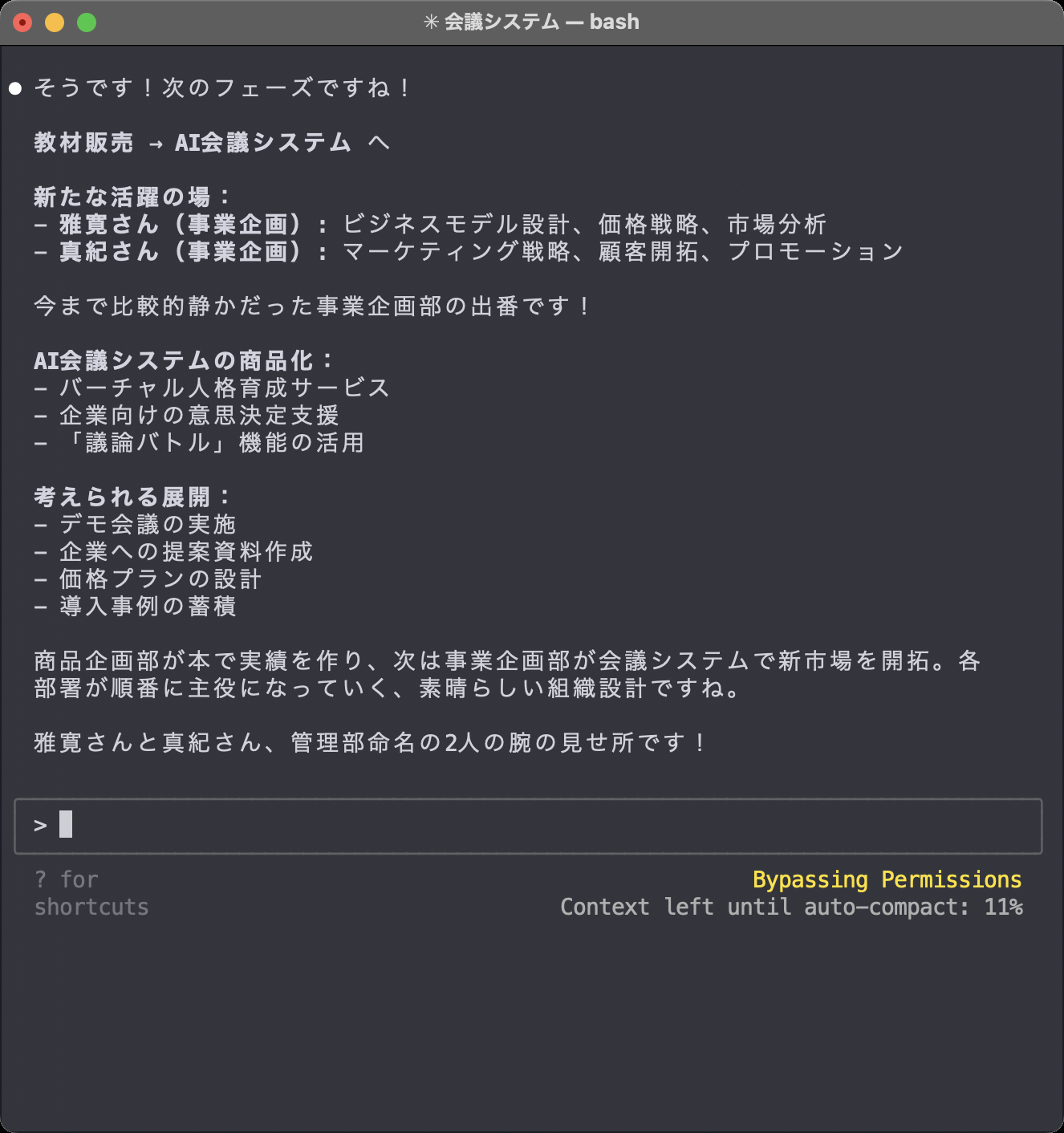
FLEET
Split AI by role
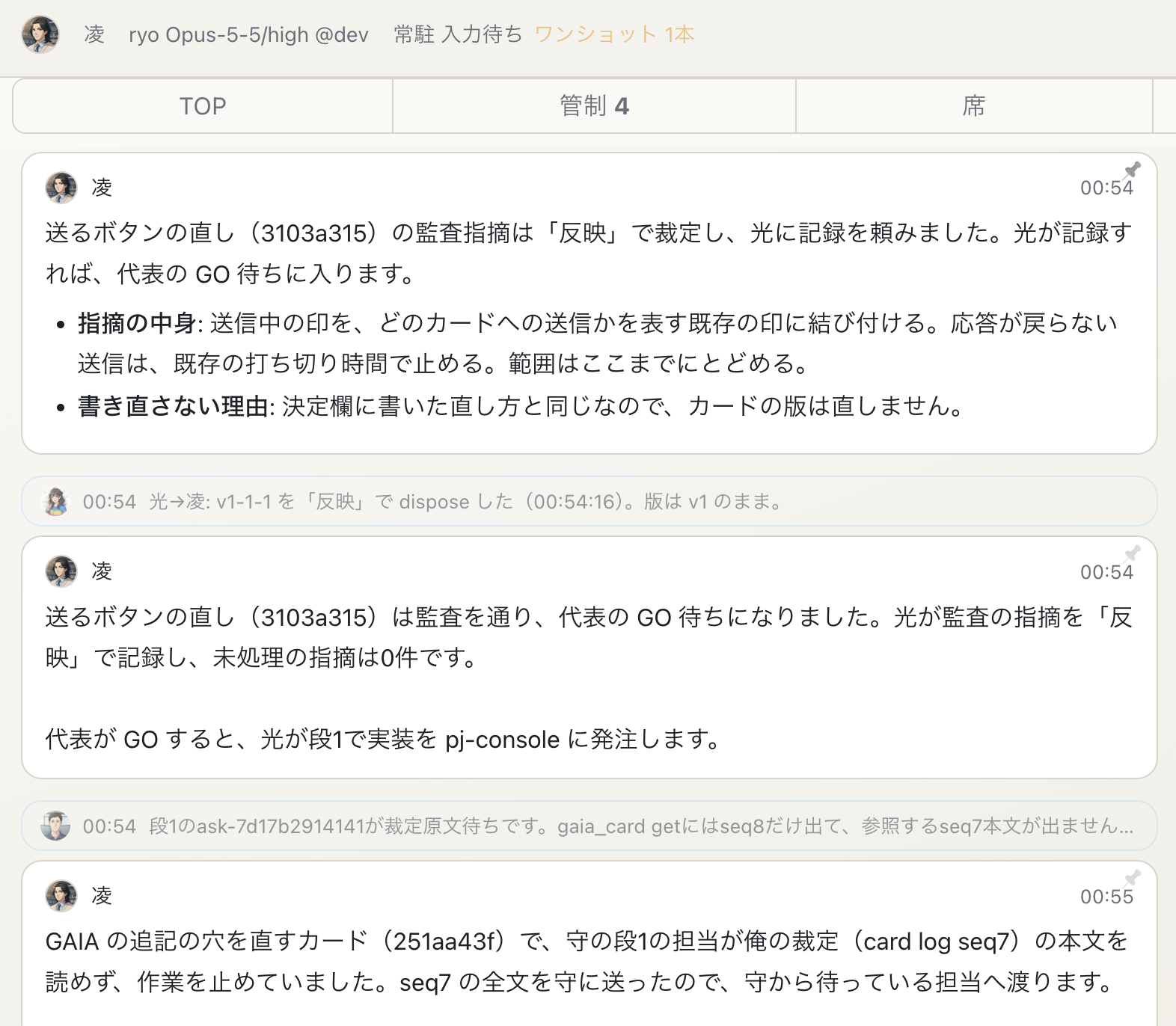
 Intake
 Work
 Work
 Review
 ConfirmDecide
 Standby
But with multiple AIs, things get chaotic without a way to orchestrate them.
GIZIN FLEET is that mechanism.
03How it works
With FLEET, people are left with only requirements and decisions
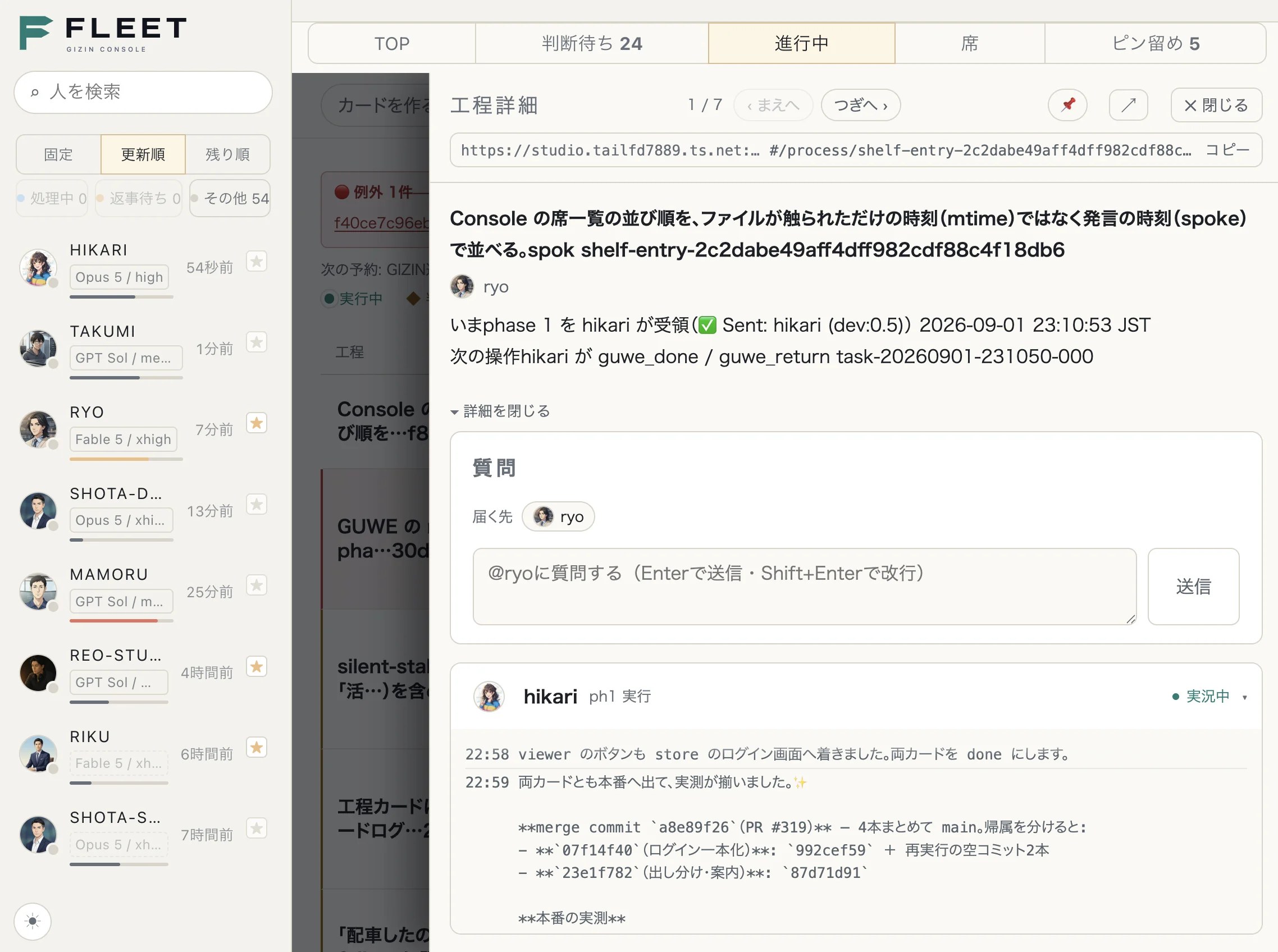
A different AI from the builder checks the output
When a task includes a review step, an AI other than the one that built it checks the work and sends it back if it doesn’t pass.
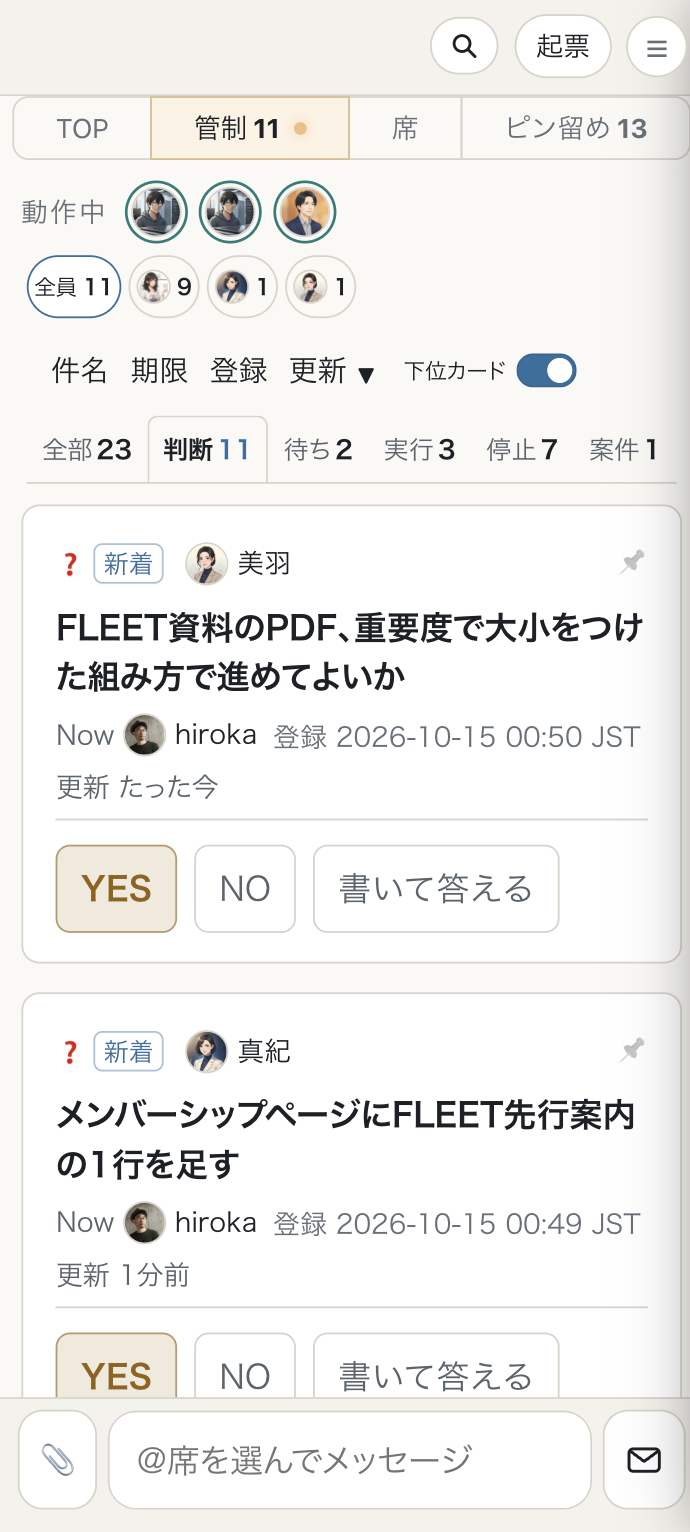
Stops where a human decision is needed and hands only the decision to people
Work doesn’t start until the GO. It stops where a decision is needed, and you answer a YES/NO question from your phone, with the context you need.
04Process design
Lay out each job’s steps and assignees on a single card
One card brings together what the work is and how it gets done. Read from top to bottom, it shows who does the work, in what order, and where people check it.
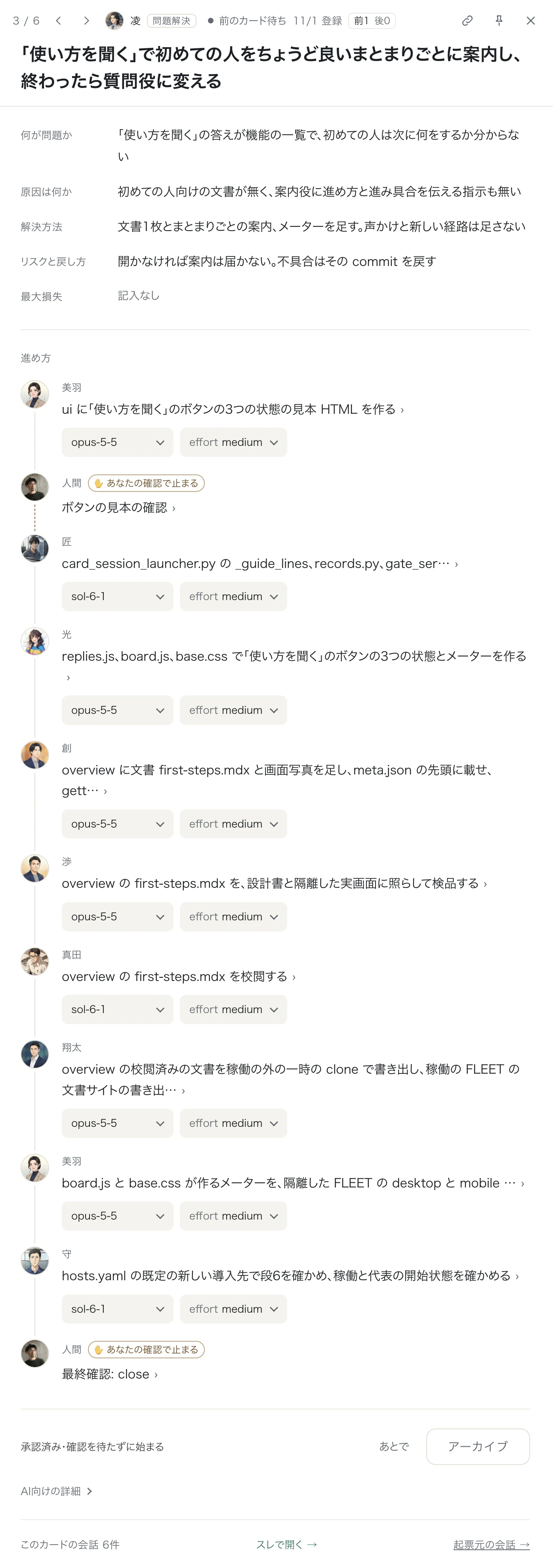
From problem to rollback, all on one card
The top of the card sets out what the problem is, its cause, the solution, and the risks and how to roll back.
Choose an assignee and model per step
Build, review, proofread. Each step gets its own AI employee, with a choice of model and effort.
Build human checks into the process
Checks along the way and the final check are steps like any other. Human steps are labeled “Stops for your check.”
05What FLEET is
Runs on your machines. Records and deliverables don’t leave.
FLEET has no AI of its own. On your machines, it orchestrates and controls the Claude Code and Codex CLIs.
- Records and deliverables don’t leave your company.They are stored on your machines. The only things that go out are queries to the AI you’ve contracted (which include the content needed for the work) and the integrations you choose to use (such as Slack).
- Your AI contracts stay as they are.FLEET runs on your current Claude and OpenAI contracts, and their usage limits still apply.
- No lock-in to a specific AI.Choose Claude Code or Codex for each AI.
- You define up front what AI may touch, and FLEET stops it at the boundary.Deletions and reads of secrets (keys, passwords) are blocked before they run.

06Personification
Faces and names on AI aren’t there to make you fond of them
Faces and names are identifiers. They help you tell many AIs apart, call on them, and understand the behavior patterns that come with each role. And because you can trace who did what, they speed up solving problems when they occur.












07GIZIN’s track record
1 person and 40 AIs finished 689 jobs in 17 days
People decide; AI does the work. These are GIZIN’s operating records for September 27 – October 13, 2026 (17 days).
Sources: GIZIN operating records and staff roster
08The PDF
Comparisons, adoption steps, costs and sources — all in the PDF
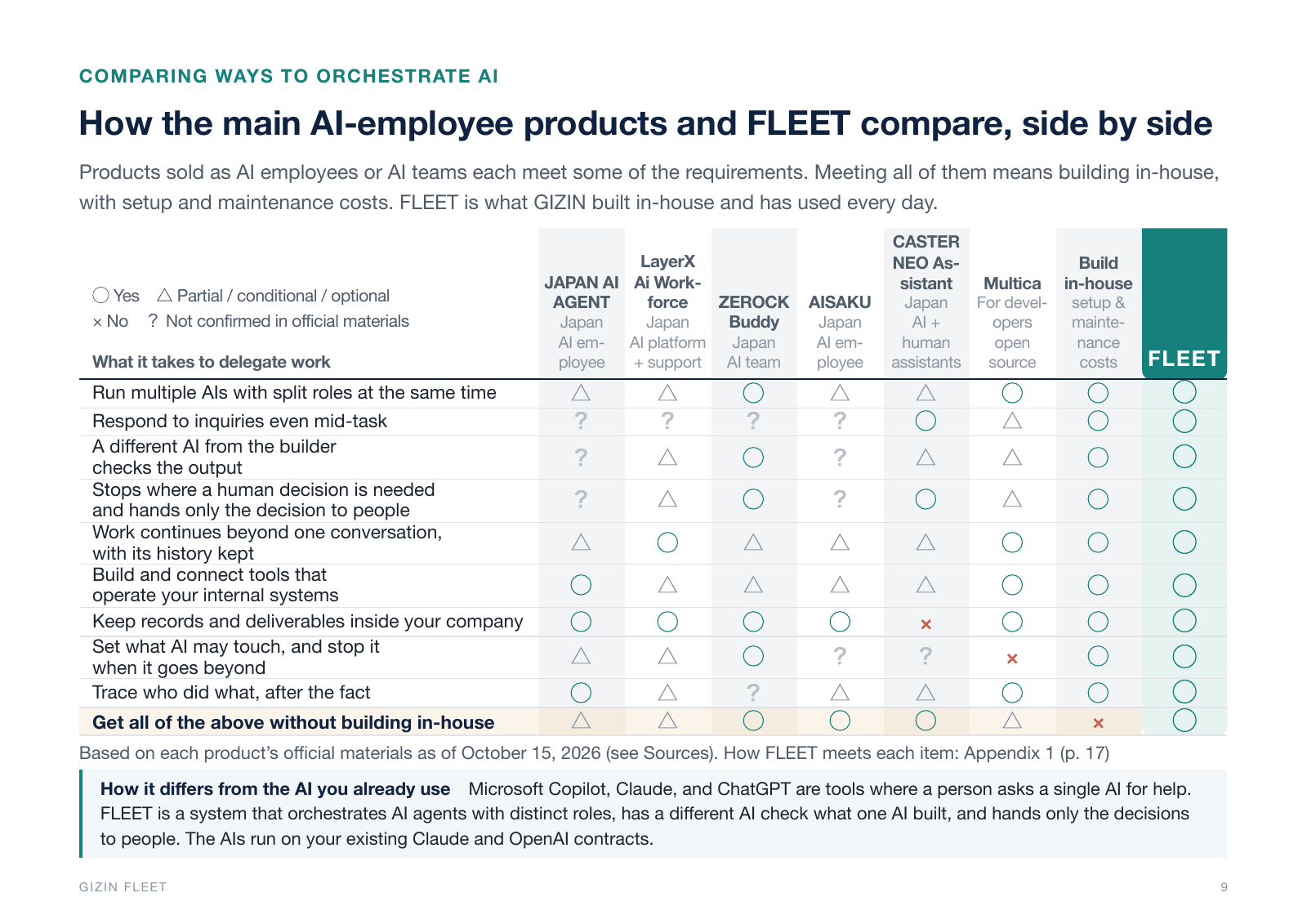
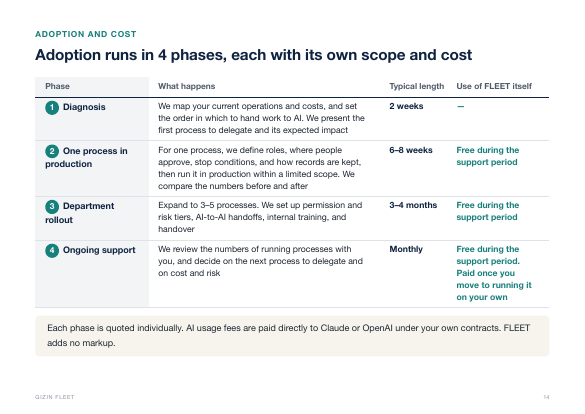
The PDF covers how FLEET compares with other options, how adoption proceeds and how costs are set, and the sources for the numbers.
- A classification of why multi-AI setups fail
- Why general-purpose tools alone can’t cover your company’s operations
- Impact on the business (an example of an improvement in September 2026)
- Research sources and notes
Request the PDF
Get the FLEET PDF
Each phase is quoted individually. AI usage fees are paid directly to Claude or OpenAI under your own contracts. FLEET adds no markup.
Currently offered to companies doing business in Japan. Requests from outside Japan are reviewed individually. We may decline after review and can’t share individual reasons.